Author: admin

  • How to Log In to Instagram (Beginner’s Guide)

    How to Log In to Instagram (Beginner’s Guide)


    If you opened Instagram for the first time and froze at the login screen — relax. This guide shows the exact paths to sign in on phone and desktop, explains modern options like passkeys and 2FA, and gives no-nonsense fixes for the problems people actually hit.

    Step 1 — Open the official Instagram app or website

    On mobile: open the Instagram app you downloaded from the App Store or Google Play. On desktop: go to instagram.com/accounts/login. Don’t use sketchy third-party apps or random downloads, they’re a common source of scams. (Yes, this happens.)

    Step 2 — Pick the right login method

    Instagram lets you sign in with:

    • Phone number (the one you registered)
    • Email address
    • Username
    • Linked Facebook account (if your accounts are connected in Accounts Center)

    If you can’t remember which you used, try email first — it’s the most common. If that fails, try username or phone next.


    Step 3 — Enter credentials (or use passkey)

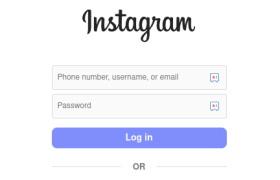
    Type your email/phone/username and password, then tap Log in.

    Reality check about passwords: if your password is short or reused across services, stop and fix that. Reused passwords are the main way accounts get taken over. Use a password manager and unique passwords. If Instagram offers a passkey/passwordless option on your device, it’s generally safer and faster — consider switching to it when available.

    Step 4 — Complete verification (2FA) if asked

    Instagram may ask for a one-time code sent via SMS, email, or generated by an authenticator app. Enter it to finish the login. Two-factor authentication (2FA) makes account takeovers much harder — enable it from Settings → Accounts Center → Password and security.

    Step 5 — Post-login: quick safety checks

    • Turn on Two-Factor Authentication (authenticator app is better than SMS).
    • Confirm the email and phone on your account are current.
    • If you see unfamiliar devices in your account, log them out and change your password immediately.

    Short FAQ

    Q: Can I log in with Facebook?
    A: Yes — if your Facebook and Instagram are linked in Accounts Center you can use Facebook credentials to sign in.

    Q: What’s better — SMS 2FA or an authenticator app?
    A: An authenticator app (or passkeys/hardware keys) is more secure than SMS because SMS can be intercepted. Use an app if you can.

    Q: What are passkeys? Should I use them?
    A: Passkeys are passwordless credentials tied to your device (biometric or PIN). They’re more resistant to phishing and often faster — use them where supported, but keep a fallback method while adoption finishes.
  • How to Log in on TikTok (Step-by-Step Beginner’s Guide)

    How to Log in on TikTok (Step-by-Step Beginner’s Guide)

    If you just installed TikTok and are staring at the home screen wondering how to get inside, this short guide is for you. We show the exact steps to log in (mobile and desktop), sprinkle in security and troubleshooting tips, and keep everything simple — no fluff.


    Step 1 — Open TikTok (mobile or desktop)

    Open the official TikTok app (App Store or Google Play) or go to www.tiktok.com on a browser. Only use the official app/site to avoid fake apps or phishing attempts.
    Beginner tip: If you downloaded from anywhere else, delete it and reinstall from the official store.

    Step 2 — Tap Log In

    On mobile the login option is on the home screen. On desktop it’s usually in the top-right corner. Make sure you pick Log In — tapping Sign Up will start account creation instead.

    Step 3 — Pick your login method

    TikTok lets you sign in with:

    • Phone number
    • Email address
    • Username
    • Linked accounts (Apple, Google, Facebook — whichever you used originally)

    If you can’t remember which one you used, try your email first (most people sign up with email). This step is simple, but picking the right method saves time.

    Step 4 — Enter your credentials and hit Log In

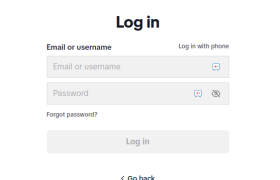
    Type your email/phone/username and your password. Press Log In.
    Security tip: Use a strong password (12+ characters, mix of upper/lowercase, numbers, symbols). Consider a password manager — it’s the practical way to keep unique, strong passwords for every account. This is a small step that avoids big headaches later.

    Step 5 — Complete verification (if requested)

    TikTok may send a one-time code to your phone or email. Enter it when prompted. This is normal — it keeps your account secure. If you don’t get a code, check spam for email or make sure your phone number is correct.

    Step 6 — Post-login checks & quick setup

    • Turn on Remember me on your private device to speed future logins.
    • Check your Profile → Settings → Security to enable two-factor authentication (2FA) if you want extra safety.
    • If you used a social login (Google, Apple), make sure those accounts are secure too.

    Troubleshooting — common login problems & fixes

    • Forgot password: Tap Forgot password? and follow reset instructions by email or phone.
    • Account not found: Try alternate methods (phone vs email). You might have multiple accounts.
    • No verification code: Wait a few minutes, check spam, or request a new code. If that fails, try a different verification method.
    • Still stuck: Use TikTok Help in the app or the official Help Center (search “TikTok login help”).

  • How to Log In on Facebook — A Simple Beginner’s Guide

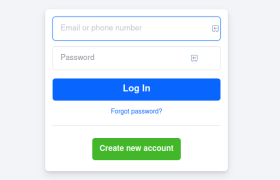
    How to Log In on Facebook — A Simple Beginner’s Guide


    If you’ve just installed Facebook (or opened the site) and hit the login screen, this guide is for you. I’ll walk you through every practical path to sign in — mobile and desktop — explain the newer, safer options (like passkeys), and give quick fixes for the errors that trip beginners up.

    Quick steps

    1. Open the Facebook app or visit facebook.com/login.
    2. Tap Log In and enter your email or phone number plus password.
    3. If Facebook asks, enter the verification code sent to your email or phone.
    4. Optionally set up passkeys or two-factor authentication for stronger security.

    Step 1 — Open the official Facebook app or website

    Use the official Facebook app from the Apple App Store or Google Play, or go to facebook.com/login in your browser. Don’t use copies or third-party apps — only official clients guarantee proper security and recovery options.

    Tip: If your phone offers Face ID or fingerprint unlock for apps, use it only on a personal device.

    Step 2 — Choose the right login field

    On the login screen you can sign in with:

    • Email (any email associated with the account)
    • Phone number (the number you added to the account)
    • Username (if you set one)
      Type whichever you registered with and then your password. If your login doesn’t work, try the other options — many people forget whether they used phone vs email.

    Step 3 — Enter your password and tap Log In

    Type your password and hit Log In. If the password is correct, you’ll be taken to your News Feed.

    Security tip: Use a long, unique password and a password manager. Password reuse is how most account takeovers happen. If you reuse passwords, expect trouble. (This is the simple reality — fix it.)

    Step 4 — Complete verification (if required)

    Facebook may send a one-time code to your email or phone. Enter that code to finish logging in. If you don’t receive it, check spam, and then request a new code or try a different recovery option from the login help page.

    Newer option: Passkeys (passwordless login)

    Facebook now supports passkeys — a stronger, easier alternative to passwords on mobile devices. Passkeys let you log in with your device biometric (Face ID, fingerprint) or PIN instead of typing a password. If you can, set a passkey: it’s safer against phishing and credential theft and makes login faster.

    Practical note: Passkeys are rolling out by device/region; desktop support is different from mobile. Keep the traditional password/2FA as a fallback until passkeys are available on all platforms you use.

    Short FAQ

    Q: Can I log in with Facebook using Google or Apple?
    A: Facebook supports passkeys, security keys, and traditional email/phone/password. Social logins like Google are not the standard Facebook login path — use the option you registered with.

    Q: Is passkey safer than a password?
    A: Yes — passkeys are device-based cryptographic credentials that can’t be phished like typed passwords. They’re more secure and more convenient on supported devices.

    Q: Should I use “Remember me”?
    A: Only on personal devices. Never on shared or public machines.

  • Why Average Position in Google Search Console Can Be Misleading

    Why Average Position in Google Search Console Can Be Misleading

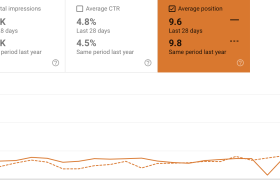
    For many marketers and business owners, the “Average Position” metric in Google Search Console (GSC) seems like an easy way to measure SEO progress. A lower number looks better. A higher number looks worse. Simple, right?

    Not quite.

    In practice, this metric can be highly deceptive and lead you to draw the wrong conclusions—especially when viewed without context. Let’s break down why that happens, using two practical examples from real SEO agency work.

    (more…)
  • Why Do Competitors’ Visuals Often Look Better?

    It’s a familiar feeling.
    You come across a competitor’s social media post, a new ad campaign, or even their product packaging, and it seems light years ahead of your own. Sleeker, more professional, more impactful.

    But here’s the truth: it’s often not actually better. It just feels that way.

    So, why does this happen?

    (more…)
  • FB profile or page for a company?

    FB profile or page for a company?

    We still come across entrepreneurs, small businesses — and even some bigger ones — using personal profiles instead of proper company pages on Facebook and LinkedIn.

    Please don’t do this.

    It not only looks unprofessional, but also hurts your credibility and limits your visibility. Company pages exist for a reason — they build trust, allow you to run ads properly, and help people take your business seriously.

    Before jumping into social media, consult someone who understands digital strategy. Don’t let a basic social media marketing mistake undermine everything else you’re doing right.

  • Unlocking SEO Insights Through Log File Analysis

    Unlocking SEO Insights Through Log File Analysis

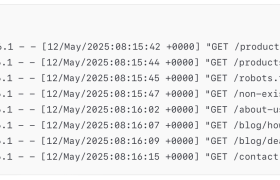
    When it comes to technical SEO, log file analysis is one of the most underutilized yet powerful methods for uncovering how search engines interact with your website. Unlike data from analytics or SEO tools that offer interpreted insights, log files provide raw, unbiased records of every request made to your server — including those from search engine bots like Googlebot.

    (more…)
  • The SEO Power of a Perfect Title: Boosting Visibility and Engagement

    The SEO Power of a Perfect Title: Boosting Visibility and Engagement

    When people think about SEO, they often focus on backlinks, keywords, or site speed. But one of the simplest and most overlooked elements on your page might be costing you both traffic and conversions: your title tag.

    A well-crafted title doesn’t just help you rank—it helps you get clicked. And in today’s competitive search environment, being visible isn’t enough. You need to grab attention, earn the click, and set the right expectation for your visitors. That’s where a perfect title tag comes in.

    What Is a Title Tag, Really?

    The title tag is the clickable headline you see in Google search results. It also appears at the top of browser tabs and is often what gets pulled when someone shares your page on social media.

    It’s not just for show. Google uses the title tag to understand what your page is about. And users rely on it to decide whether your page is worth their time.

    In other words, your title tag is a ranking factor, a conversion trigger, and a UX cue—all in one.

    Why the Title Tag Matters for SEO

    Search engines use the title tag as one of the signals to determine what your page should rank for. While it’s not the onlyon-page factor, it’s one of the strongest. A well-optimized title:

    • Includes your primary keyword naturally
    • Reflects the page content accurately
    • Helps search engines match your page to the right search intent

    But here’s the thing: ranking on the first page isn’t the end goal. Getting clicked is.

    How a Great Title Tag Boosts CTR

    CTR (click-through rate) is the percentage of people who see your result and actually click it. While Google doesn’t confirm it directly, there’s strong evidence that higher CTRs can improve rankings over time.

    A compelling title can:

    • Spark curiosity
    • Promise a clear benefit
    • Stand out from other results on the page

    Here’s an example:

    Boring title: “Best Hiking Trails in Serbia”
    Better title: “10 Best Hiking Trails in Serbia (With Maps & Local Tips)”

    The second one promises more value and speaks directly to what a searcher might want—details, local insights, and convenience.

    The UX Connection: Setting the Right Expectations

    A great title isn’t just about getting the click—it’s about keeping the user satisfied. If your title promises one thing and your content delivers something else, visitors bounce. That’s bad for user experience and bad for SEO.

    Google wants to show results that:

    • Match search intent
    • Satisfy users’ needs
    • Keep users engaged

    So the perfect title tag isn’t just clickbait. It’s a clear, honest preview of the value your content offers.

    Tips for Writing the Perfect Title Tag

    1. Include your target keyword, preferably near the beginning
    2. Keep it under 60 characters to avoid being cut off in search results
    3. Make it specific, not vague
    4. Add emotional or benefit-driven words, like “how,” “best,” “easy,” “proven,” etc.
    5. Avoid duplicate titles across your site
    6. Test and tweak—if your CTR is low, try a different approach

    Title Tags and Search Visibility: Getting Seen Before Getting Clicked

    Before users can click your page, they first need to see it — and the title tag plays a major role in that visibility. A strong title helps search engines better understand your content, which increases the chances of appearing for relevant queries. When your title aligns closely with search intent, your page is more likely to surface in competitive results, featured listings, and long-tail searches. In short, a well-optimized title doesn’t just improve rankings — it expands your search footprint.

    Visibility Beyond Google: Titles as a Multi-Channel Asset

    Title tags don’t only affect Google rankings — they also influence visibility across multiple platforms. Your title often becomes the default headline when a page is shared on social media, messaging apps, or browser previews. A clear, engaging, and keyword-rich title improves how your content appears in these environments, helping it stand out in crowded feeds and link previews. This means a great title tag doesn’t just boost SEO — it strengthens your brand’s visibility across the wider digital ecosystem.

  • Why Choose an International SEO Agency

    Why Choose an International SEO Agency

    When it comes to search engine optimization (SEO), many American companies default to hiring a domestic agency. However, choosing an international SEO agency can offer distinct advantages that are often overlooked. At Aphenos, with offices in Serbia and Manila, we combine global expertise to deliver exceptional results. Here’s why an international SEO agency might be the right choice for your business.

    1. Cost-Effective Solutions Without Compromising Quality

    • Agencies in Eastern Europe and Southeast Asia often offer significantly lower rates than their US counterparts.
    • Lower operational costs allow us to provide premium SEO services within your budget.
    • You get high-quality strategies tailored to your goals without the inflated pricing.

    2. Diverse Expertise and Multilingual Capabilities

    • International agencies bring together talent from different backgrounds and markets.
    • Our experts in Serbia and the Philippines understand the nuances of both Western and Eastern search behavior.
    • We offer multilingual SEO, ensuring your brand resonates across diverse markets.

    3. Global Market Insights

    • With a team that understands various regional trends and algorithms, we craft strategies that work locally and globally.
    • Our insights help businesses expand to international markets while maintaining a strong domestic presence.

    4. Round-the-Clock Productivity

    • Operating across multiple time zones means we provide continuous support and faster turnaround times.
    • While your business in the US sleeps, our teams in Serbia and Manila are working to enhance your SEO performance.

    5. Cultural Understanding and Adaptive Strategies

    • Local agencies might lack the global perspective necessary to build adaptable strategies.
    • Our cross-cultural team ensures your brand messaging resonates across different markets.

    6. Proven Track Record and Specialized Knowledge

    • Neparno 10 has extensive experience managing SEO for clients worldwide.
    • We bring industry-specific insights, ensuring your campaigns align with your market’s expectations.

    Choosing an international SEO agency like Aphenos means gaining a competitive edge. With the cost-effectiveness of Eastern Europe, the adaptability of Southeast Asia, and global SEO expertise, we offer a strategic advantage that US-based agencies often can’t match.

    Contact us today to explore how our international team can elevate your brand’s online presence.

  • Why Your Digital Agency Team Should Attend Digital Conferences

    Why Your Digital Agency Team Should Attend Digital Conferences

    In the fast-paced world of digital marketing, staying ahead of the curve is essential. Digital conferences are more than just networking events; they’re opportunities to level up your agency’s skills, gain fresh perspectives, and connect with industry leaders. So, why should your agency prioritize attending these events? Let’s explore.

    1. Stay Ahead of Industry Trends

    Digital marketing evolves rapidly, with new tools, platforms, and strategies emerging almost daily. Conferences are hotbeds of innovation, where thought leaders share the latest trends before they hit the mainstream. Your team will return armed with actionable insights to keep your clients ahead of their competitors.

    2. Build Valuable Connections

    Networking isn’t just a buzzword—it’s a business advantage. Conferences attract the best in the industry, from potential partners and clients to influencers and top-tier professionals. Building relationships at these events can lead to new business opportunities and collaborations.

    3. Enhance Team Expertise

    Workshops, panels, and keynotes offer hands-on learning opportunities. Whether it’s mastering the latest Google algorithm update or perfecting video ad strategies, conferences provide knowledge your team can implement immediately.

    4. Inspire Creativity and Innovation

    Stepping away from daily routines and engaging with new ideas often sparks creativity. Conferences expose your team to unique campaigns, case studies, and ideas that can inspire innovative strategies for your clients.

    5. Showcase Your Agency’s Expertise

    Attending conferences also positions your agency as an engaged, forward-thinking leader in the industry. Encourage your team to share insights from the event on social media or your blog, demonstrating your commitment to staying at the forefront of digital marketing.

    6. Boost Team Morale

    Conferences are not only educational but also fun! Giving your team the chance to travel, learn, and bond in a new environment can reinvigorate their enthusiasm for work and create lasting memories.

    7. Stay Competitive

    If your competitors are attending these conferences and you’re not, you risk falling behind. By being present, your agency ensures it remains competitive and up-to-date with the latest industry standards.

    Investing in digital conferences isn’t just an expense; it’s an investment in your agency’s growth, creativity, and future success. Equip your team with the knowledge, skills, and connections to deliver cutting-edge strategies for your clients.

    Ready to take your agency to the next level? Start by planning your team’s attendance at the next big digital conference!